Product families and individual SKUs
Product information is organised at family and item-code level. This supports shared product descriptions alongside the technical differences between individual variants.

CASE STUDY
Connected product families, SKU-level specifications and technical resources in a Pimcore website.
THE PROJECT
Pierlite is a brand of Signify, operating in Australia as Signify Innovations Australia Pty Ltd.
Lighting product information needs to work at more than one level. Customers may explore a product family, compare individual item codes or look for products suited to a particular application. Each route needs relevant specifications and supporting technical resources.
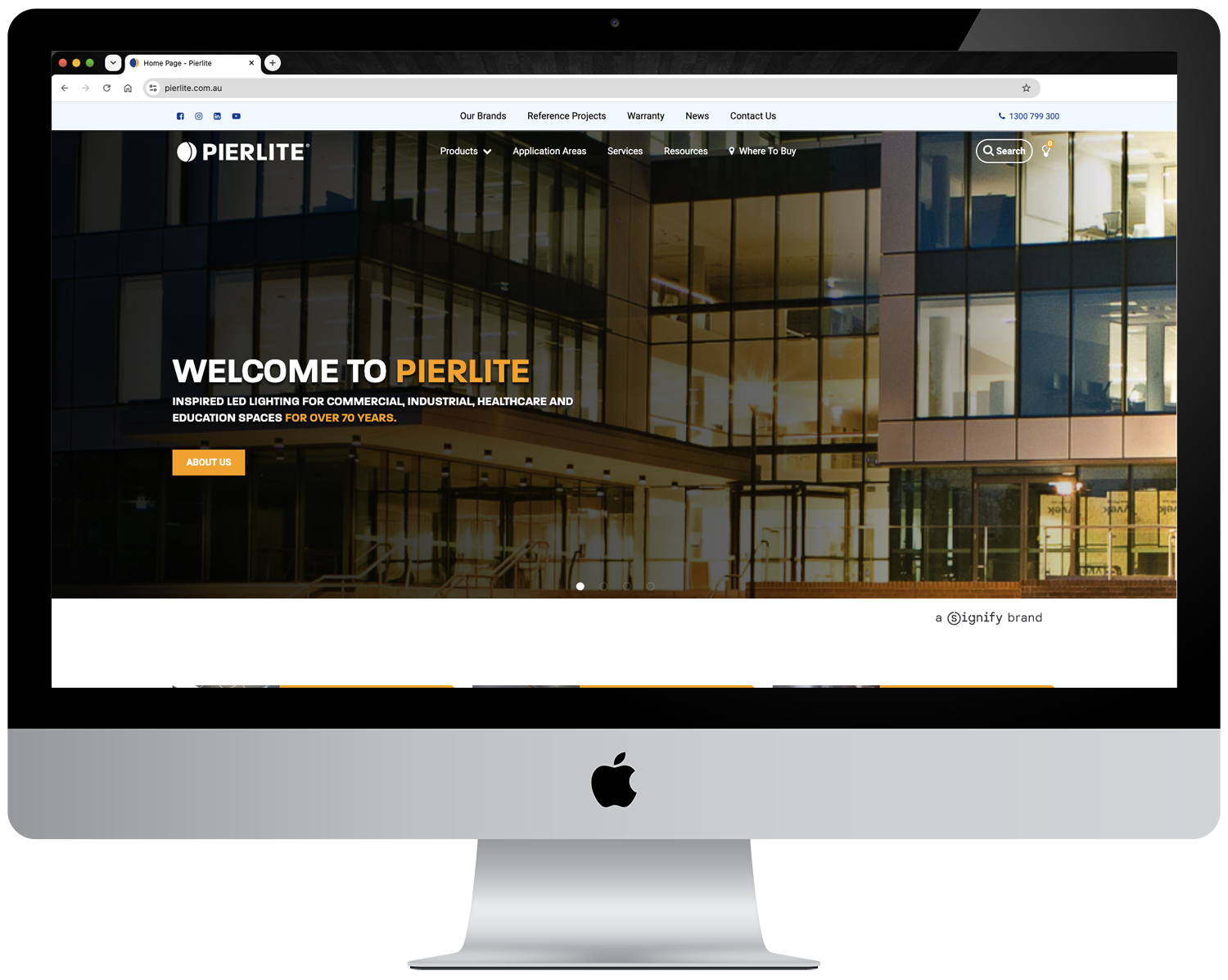
Stimulus developed Pierlite’s Pimcore website to connect product information, digital assets and website content with these tasks. The project brought together product filtering, family and SKU-level information, application-based browsing and tools for product selection and enquiries.
Project scope: Pimcore · Product data · Digital assets · CMS/DXP · Product and SKU filtering · Technical downloads · Enquiry cart
THE REQUIREMENT
Maintaining a technical lighting range requires more than editing website pages. Product families, individual SKUs, shared attributes and supporting documents need to work together.
Pierlite’s WordPress setup had become difficult to manage as product content accumulated across individual pages and the plugin environment became increasingly complex. The business needed a way to maintain structured product information and use it consistently across filtering, product detail pages, technical downloads and enquiry tools.
THE FOUNDATION
The Pimcore environment brings structured product information together with the assets and content used to present the range online.
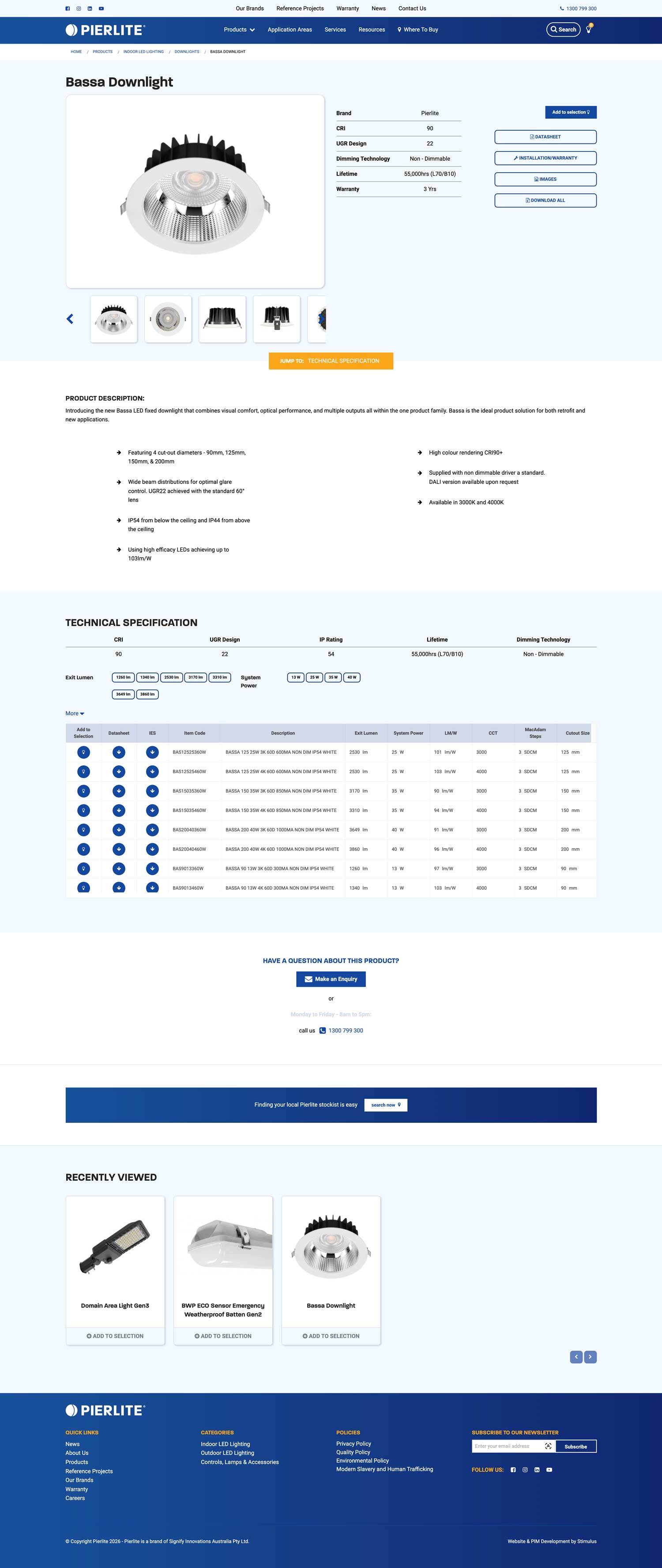
Product information is organised at family and item-code level. This supports shared product descriptions alongside the technical differences between individual variants.
Product imagery, photometric files and datasheets support the selection process. Resources are associated with the products they describe, making them useful alongside the specifications.
Website content provides context around the product range, including application areas and supporting information. Product relationships help connect this content with the relevant families and items.
 View screenshot
Close screenshot
PRODUCT DISCOVERY
Structured product information supports selection across the range and within an individual product family.
The product listing provides filters to narrow the range. The information managed behind the website provides the basis for these product selection options.
Product family pages group common technical attributes into a summary, giving visitors an overview before they explore the differences between individual items.
Within a family, SKU filters narrow the technical specification table to relevant variants. Visitors can review item codes and their specifications alongside the family information.
WAYS TO EXPLORE
Application areas provide another route into the range, connecting relevant products with settings such as commercial, healthcare, education and industrial environments. This lets the team present products in the context of the applications they support.
A location-based Where to Buy search gives visitors a way to look for Pierlite stockists, connecting online product information with a practical purchasing route.
TECHNICAL RESOURCES
The solution supports product-family datasheets as well as datasheets for individual SKUs. This gives customers access to an overview of a family or the detail of a particular item code.
Product imagery and photometric files sit alongside the technical information, supporting the work of people reviewing and specifying lighting products.
SELECTION AND ENQUIRY
Stimulus developed an enquiry cart to support selections at both product-family and individual SKU level. The delivered functionality covered collecting products, preparing related resources, sharing a selection and submitting an enquiry.
The cart was built to accept a complete product family or specific item codes, supporting enquiries at different stages of product selection.
The selection tools included access to family and individual SKU datasheets for the chosen products.
The cart included downloads of available imagery, photometric files and datasheets associated with the selected products.
The delivered functionality included sharing a selection with others and submitting it as a product enquiry.
THE OUTCOME
The project connected product families, individual SKUs, technical resources and application content in one digital environment. Structured information supports both an overview of the range and a closer look at the differences between variants.
The result demonstrates how product data can support practical website functions: filtering a range, reviewing specifications, accessing documents and preparing a product enquiry.
EXPLORE THE POSSIBILITIES
Explore how Stimulus connects product information, digital assets and business systems with websites, portals and publishing tools. Start with the business problem you want to solve, explore the capabilities involved or learn more about Pimcore.
From disconnected data to a connected business
Illustrative overview of a connected digital environment. This diagram does not represent the Pierlite implementation. The systems, data flows and update frequency depend on each project’s requirements and available interfaces.
LET’S TALK
If your team is maintaining the same information across websites, documents and distributor files, tell us how it works today. We’ll help you explore a practical way to bring the data and digital tools together.